
IPTV subtitles and audio language on an LG TV
Films and channels in an IPTV playlist often carry more than one audio language and several subtitle tracks. On an LG TV you switch between them from the player's bar, and Flumio remembers your choice for next time. This guide also explains why some subtitles don't appear, which depends on how the provider delivers them.
Switch the audio language
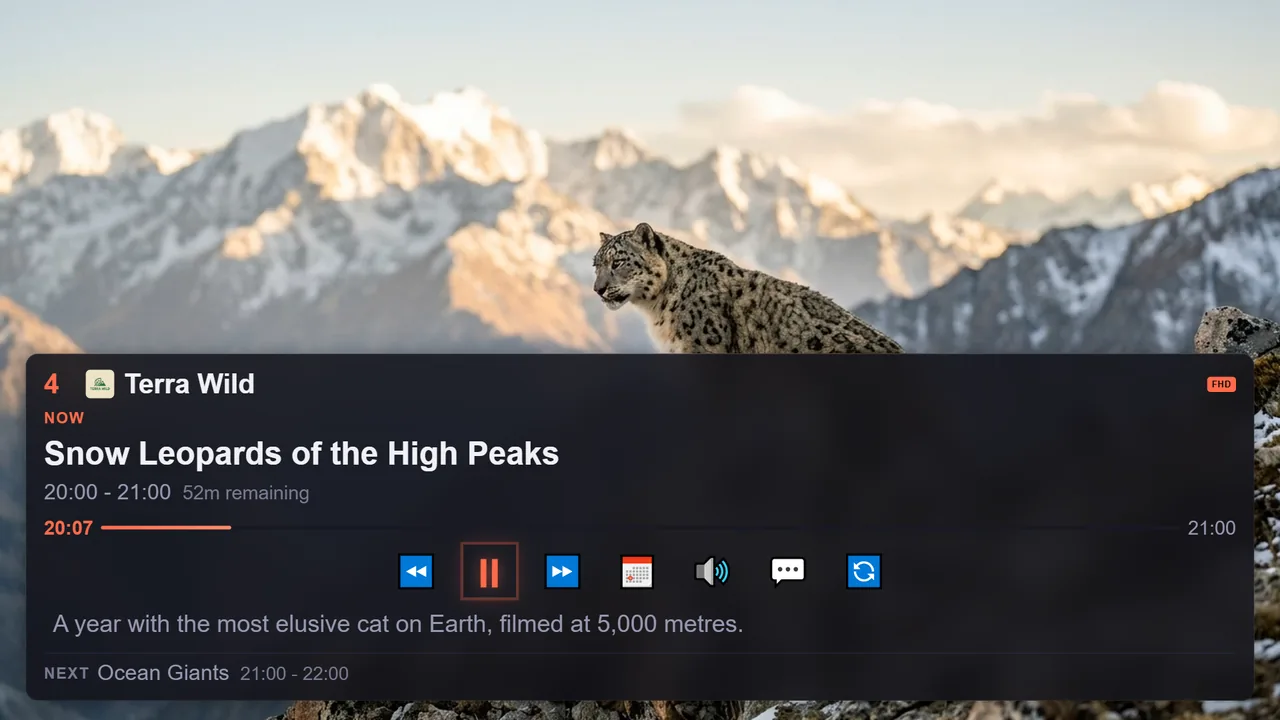
- While watching, press OK to show the bar at the bottom.
- Choose 🔊 (Audio). A list of the audio tracks opens, each with its language, for example [EN] or [DE].
- Pick one. The sound switches straight away.
If the list says No audio tracks available, the stream has a single audio track and there's nothing to switch to.
Turn on subtitles
- Press OK for the bar, then choose 💬 (Subtitles).
- Pick a track; tracks show their language, such as [EN]. Off turns subtitles off again.
Subtitles too early or too late
When a subtitle track is on in a film or episode, the same window shows Sync with − and +. Each press moves the subtitles by a quarter of a second: + if they appear before the words are spoken, − if they come after. The shift is kept for that film or channel.
Flumio remembers your choice
The audio track, the subtitle track and the sync you pick are remembered for each channel and film. Pick English audio with German subtitles once, and the next time you open that film or tune that channel, Flumio sets them up again by itself. It matches tracks by language, so it still works when the provider reorders them.
Why some subtitles don't show
Where the subtitles are stored decides whether an LG TV can show them:
- Inside the film file (MKV or MP4)
- Text subtitles inside the file are listed and can be switched. Picture-based subtitles (formats called PGS or VobSub, common in Blu-ray rips) aren't offered by the TV this way, so they don't appear.
- As separate files from the provider
- Some providers attach subtitle files to films on their server. Flumio fetches them and lists them under 💬.
- In a live channel's stream
- The LG player doesn't report subtitles in live streams to apps. When you open 💬 on such a channel, Flumio reopens it with its own player, which can read them, and shows Loading subtitles…. This doesn't work for every channel, and Sync isn't offered for these subtitles.
- Burned into the picture
- Some channels and films have subtitles drawn into the image. They can't be turned off or changed.
If No subtitle tracks available appears, the film or channel has no subtitles the TV can read. Ask your provider whether there's a version with subtitles.
Questions
Can I set a default subtitle language for everything?
Not as one setting. Flumio remembers the tracks per film and per channel, so after the first pick you rarely need to choose again.
The sound has a delay compared to the picture.
Press OK and choose 🔄 (Resync) on the bar. Flumio realigns sound and picture.
Why is a language missing that the provider advertises?
Providers sometimes publish separate versions of a channel or film for each language. Look for another entry with the language in its name, for example in its own category.