
How to rewind live TV and watch catch-up IPTV on an LG TV
Many IPTV providers keep an archive of what their channels showed, often for several days. With that archive you can go back to the start of a show that's on now, or replay last night's match. This guide shows how to do both in Flumio on an LG TV, and what decides whether a channel can be rewound.
Short answer: Rewinding and catch-up work only on channels where your provider keeps an archive. In Flumio press OK while watching and choose Start over or go back 30 seconds; to replay a programme that already finished, press the yellow button and pick one marked CATCH-UP.
The archive is your provider's. Which channels have one, and how many days back it goes, depends on your subscription. Flumio plays what the provider keeps; it doesn't record anything itself.
What you need
- A channel with an archive at your provider. Providers often mark these channels in their channel list or on their website.
- A TV guide for that channel. Flumio uses the guide to know where each programme starts and ends. If the guide is empty, see TV guide (EPG) not showing.
- Flumio Pro, or the 7-day trial every new install gets. Rewind and catch-up are part of Pro.
Rewind the programme that's on now
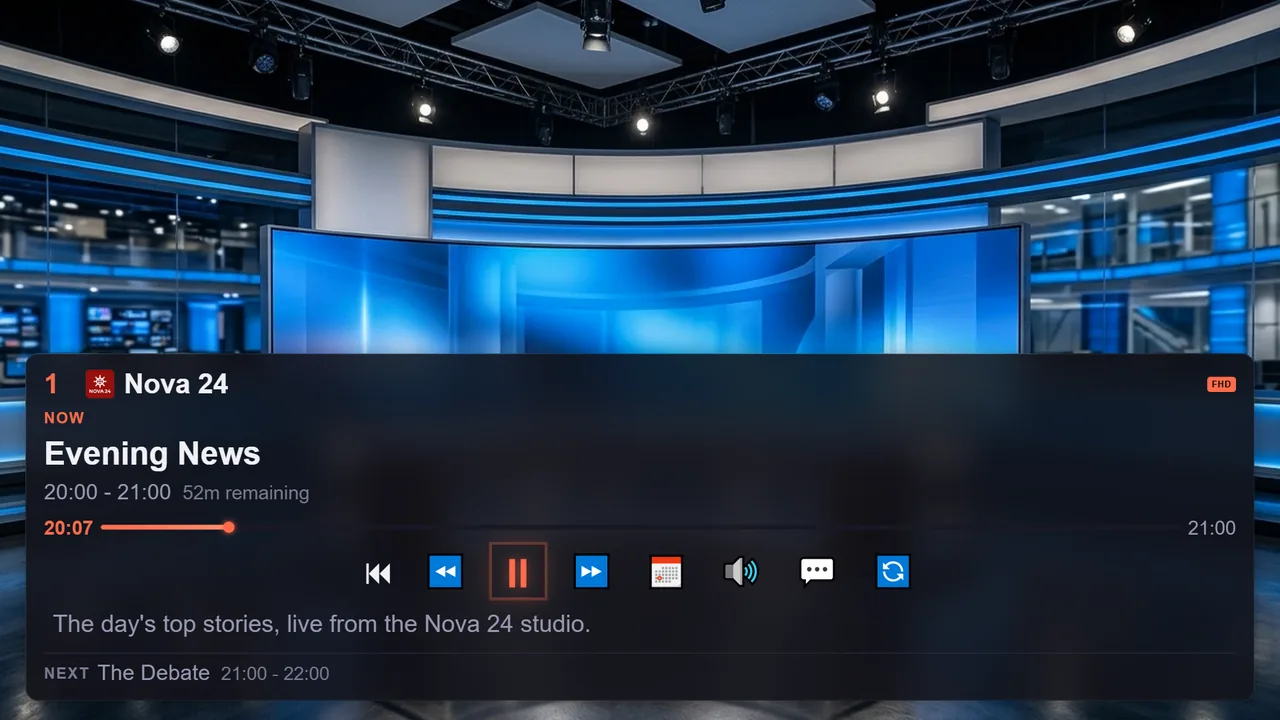
- While watching a channel, press OK on the remote. The bar at the bottom shows the programme on air, its start and end times, and how far into it you are.
- Choose ⏪ to go back 30 seconds; press it again to go further. Choose ⏮ (Start over) to jump to the start of the programme.
- You can also pick a point on the progress bar: move to it with the arrows, or point at it with the Magic Remote and click.
- To return to the live broadcast, choose LIVE, or go forward with ⏩ until you reach the present.
If the channel has no archive, Flumio says This channel has no archive — back to live and carries on with the live broadcast.
Replay a programme that already finished
While watching, press the yellow button (if the bar at the bottom isn't showing, the first press brings it up). A list of the channel's programmes opens on the right. Finished ones are marked CATCH-UP.
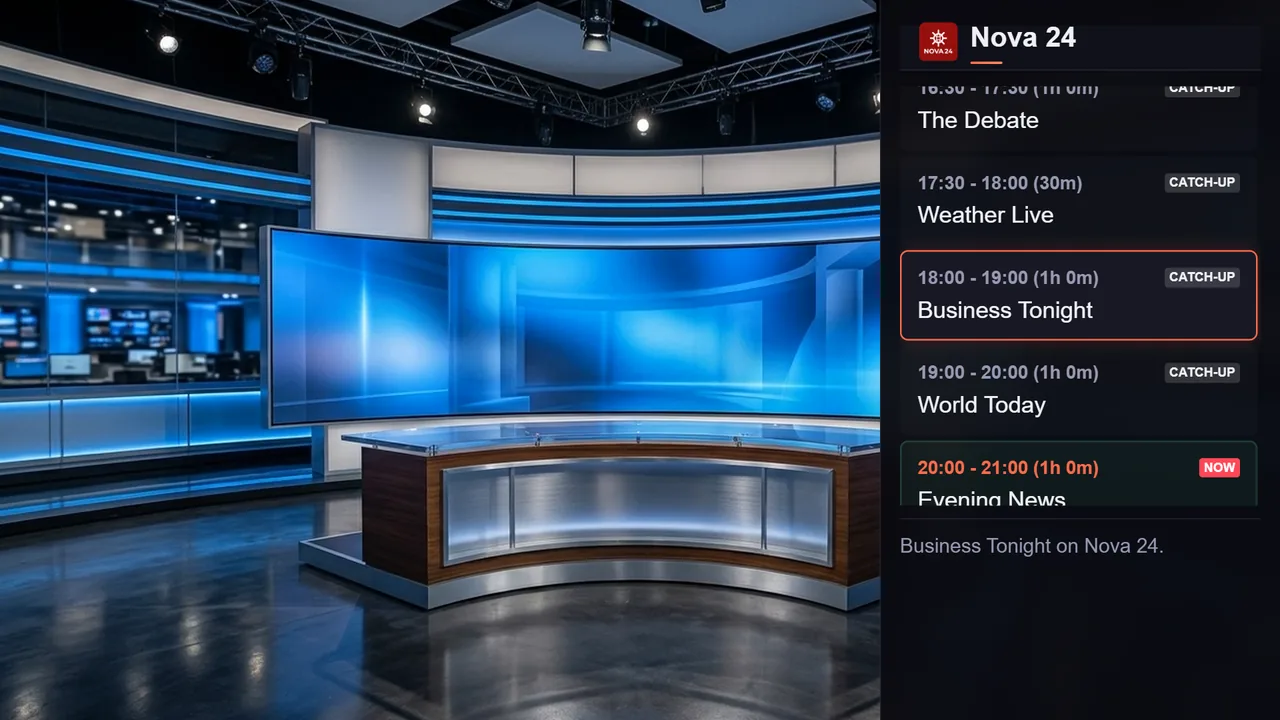
- Move up the list to the programme you want.
- Press OK. Flumio plays it from the archive, from the beginning.
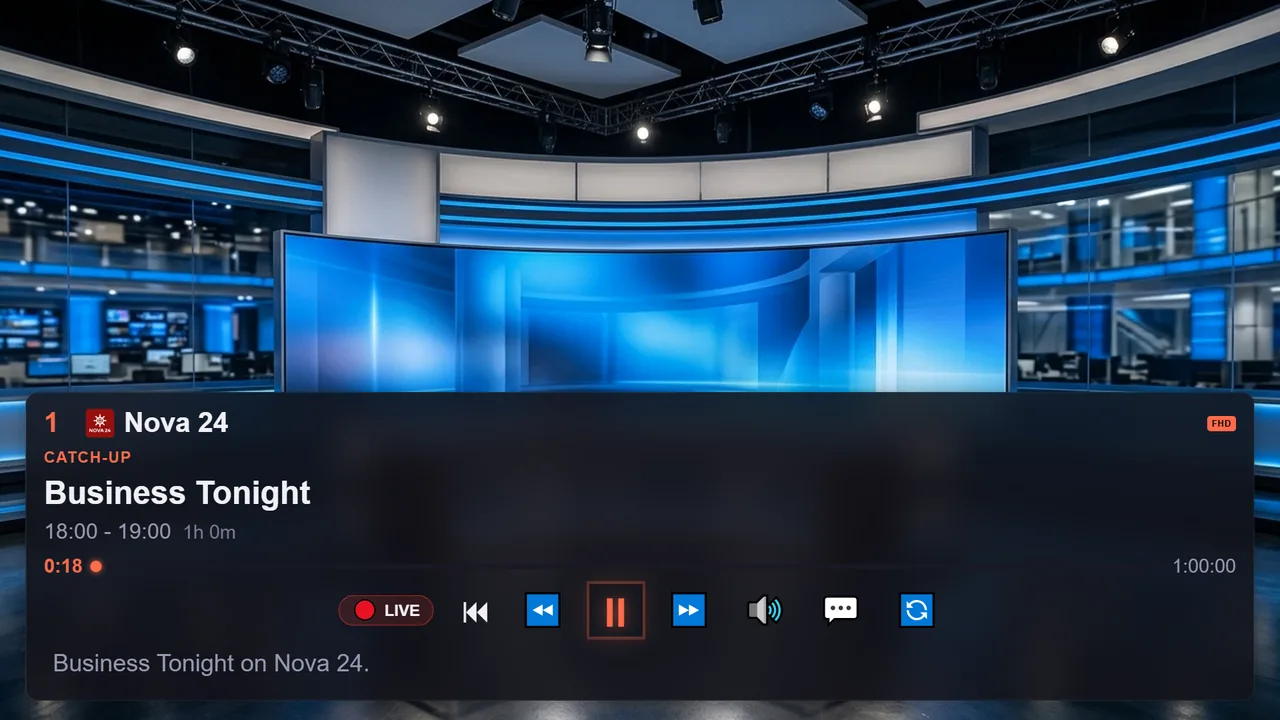
- Use ⏪, ⏩ and the progress bar to move around in it. LIVE takes you back to the channel's live broadcast.
You can also start a replay from the full TV guide on the red button: pick a channel, then a programme that already aired. When a replay reaches the end of the programme, Flumio switches back to the live channel.
To find a programme by name, open the channel list while watching (the Left arrow) and search: the results include programmes from the guide, and choosing one that has finished plays it from the archive.
If it doesn't work
- There's no ⏮ (Start over) button
- Flumio doesn't know which programme is on: the channel has no TV guide. Fix the guide first; see TV guide (EPG) not showing.
- “This channel has no archive — back to live”
- Your provider doesn't keep this channel, or not this far back. Try a programme from earlier today; if none plays, the channel has no archive in your subscription.
- A replay shows “Playback error — video unavailable”
- The programme is older than the provider's archive, or the provider's catch-up uses a format your playlist doesn't describe. Ask the provider whether catch-up is included and for how many days.
- Choosing ⏪ opens the Flumio Pro screen
- Rewind and catch-up are part of Pro. The 7-day trial includes them; after it ends, live TV keeps working without them.
- “This programme hasn't started yet”
- You picked a programme from the future. Flumio switches to the channel live instead.
Questions
What's the difference between catch-up and rewinding live TV?
Both play the provider's archive. Rewinding moves back within the programme that's on now; catch-up replays a programme that has already finished, up to as many days back as your provider keeps.
How many days back can I watch?
As many as your provider's archive keeps for that channel, often between one and seven days. The TV guide in Flumio goes back up to seven days, so older programmes don't appear in it.
Can I pause live TV?
Use rewind: when you come back, choose ⏮ (Start over) or pick the point on the progress bar where you left off. It works on channels that have an archive.
How does Flumio find the archive address?
From your playlist: providers that offer catch-up describe it there (the catchup and catchup-source attributes). When a channel has no description, Flumio tries the most common format.
Is catch-up free?
Catch-up and rewind are part of Flumio Pro. Every new install gets 7 days of Pro; after that, live TV from one playlist stays free.