
4K IPTV on an LG TV: picture, sound and speed
4K channels are where IPTV apps on a TV most often fail: the picture stays black, there's sound but no picture, or picture but no sound. The reason is almost always the format, HEVC video and Dolby audio, or a connection that can't keep up. Here's what a 4K stream needs on an LG TV and how to check each part.
What makes a 4K channel different
Most HD channels use H.264 video with AAC sound, which every TV and app plays. 4K channels almost always use HEVC (H.265) video, often with Dolby Digital or Dolby Digital Plus sound. These formats need the TV's hardware decoder. An app that decodes video in software or through the TV's web engine often can't play them at all.
Flumio hands every stream to the TV's own video player, the same one LG's built-in apps use. So a 4K HEVC channel with Dolby sound plays in Flumio whenever your TV itself can decode it.
Does your LG TV play 4K IPTV?
- A 4K (UHD) LG TV from 2020 or later, with webOS 5.0 or newer, decodes 4K HEVC. That's what Flumio needs anyway.
- A Full HD LG TV can't show 4K. Some models decode a 4K stream and show it in HD, others refuse it. Choose the HD version of the channel.
- HDR and 50/60 frames per second 4K streams ask the most of the TV. On cheaper or older models some of them may not play while ordinary 4K does.
How fast your internet needs to be
As a rough guide, an HD channel needs about 5 to 8 Mbit/s, and a 4K channel about 20 to 25 Mbit/s, steadily, not just in a speed test. Add what others at home use at the same time.
- Use a cable if you can
- Wi-Fi through a wall or two loses much of its speed and, worse for 4K, varies from second to second. A network cable from the router, or a powerline adapter, is the most reliable fix for 4K buffering.
- On Wi-Fi, use 5 GHz
- If your router has a separate 5 GHz network, connect the TV to that one. It's faster and less crowded than 2.4 GHz, though it reaches less far.
- Test at the time you watch
- Many connections are fine in the morning and slow in the evening. Run a speed test in the TV's web browser at the time 4K buffers.
Picture but no sound
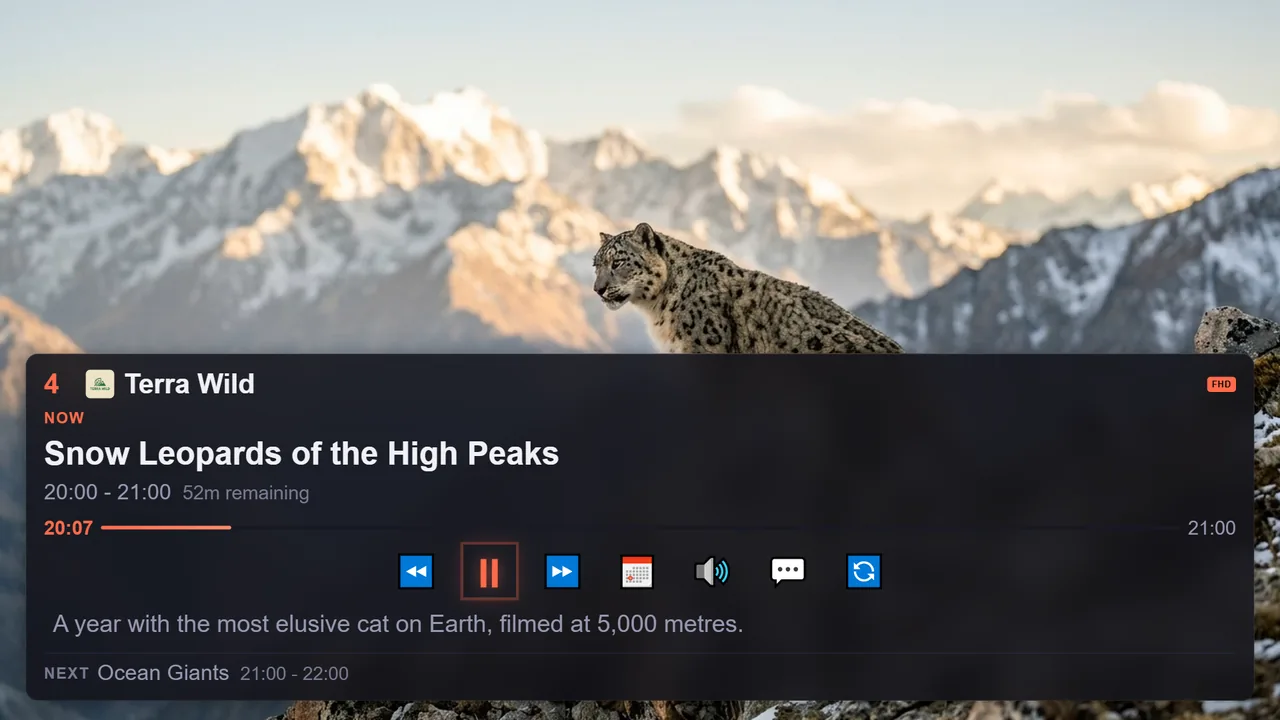
Press OK while watching and choose 🔊 (Audio). 4K channels often carry two tracks, for example Dolby Digital Plus and a stereo one. If one is silent, pick the other. Flumio remembers the choice for that channel.
If the sound goes to a soundbar or AV receiver and stays silent, the TV may be sending a format the device doesn't accept. Look in the TV's settings under Sound → Sound Out for an entry called Digital Sound Out (the exact menu names differ between webOS versions). Auto sends Dolby to devices that support it, PCM sends plain stereo that every device plays, and Pass Through, where offered, sends the sound untouched.
Sound but a black picture
- Wait about ten seconds: a 4K stream takes a little longer to start than an HD one.
- Press OK and choose 🔄 (Resync) to reconnect to the channel.
- Check whether the HD version of the same channel plays. If it does and the 4K one never does, your TV probably can't decode that stream's format.
- If no 4K channel plays at all, ask your provider which format they use and compare it with your TV's specifications.
The picture freezes every few seconds
That's the connection, not the format: the stream arrives more slowly than it plays. Use a cable or 5 GHz Wi-Fi, stop large downloads at home, or switch to the HD version of the channel. If every 4K channel freezes at the same hours, the provider's servers may be overloaded. More checks are in IPTV not working on an LG TV.
Questions
Do I need Flumio Pro for 4K channels?
No. Picture quality is the same in the free version and in Pro. It depends only on the stream your provider sends and on your TV.
Why does a 4K channel look like HD?
Some providers label channels "4K" or "UHD" that are sent in a lower resolution. Flumio plays the stream exactly as it arrives; it can't add detail that isn't there.
Can I watch 4K films and series too?
Yes, if your provider offers them (films and series are part of Flumio Pro). They play the same way as 4K channels, through the TV's own video player. See films and series on an LG TV.
Does Flumio support Dolby Atmos?
Flumio passes the sound to the TV as it arrives. Whether you hear Atmos depends on the stream, your LG TV and the sound system connected to it.